Why btop
‘btop’ is a more graphical and user-friendly resource monitor than traditional ‘top’ or ‘htop’ Without further ado, go straight to the figure above, which is the result of execution in ‘PC’ ‘WSL’. The options are all mouse clickable
btop
In the new version of ‘Ubuntu’, you can install ‘btop’ directly through ‘apt’, but the source of ‘x3 PI’ does not contain this software, so you can only manually compile and install it At the same time, the documentation in the community does not have a ‘make’ related introductory tutorial, this article through the installation of ‘btop’ to briefly introduce how to use ‘make’ to carry out some ‘github’ small projects on ‘x3’ to compile and install deployment
Source code compilation and installation process
Precautions
Note that all compilation work needs to be done under the ‘sunrise’ user, do not compile with the ‘root’ user
Configure the compilation environment
This is a small hole, ‘x3’ default ‘cc’ is’ gcc-9 ‘but’ btop ‘requires a compiler above’ gcc-10 ‘, So we want to specify that the default ‘cc’ of the current system is’ gcc-10 ’ Install compilation environment
sudo apt install coreutils sed git build-essential gcc-10 g++-10 -y
Switch between the current ‘gcc’ and ‘g++’ versions, and set the priority of ‘gcc10’ to the highest `` sudo update-alternatives --install /usr/bin/gcc gcc /usr/bin/gcc-10 100 sudo update-alternatives --install /usr/bin/gcc gcc /usr/bin/gcc-9 90 sudo update-alternatives --install /usr/bin/g++ g++ /usr/bin/g+±9 90 sudo update-alternatives --install /usr/bin/g++ g++ /usr/bin/g+±10 100
View the current 'gcc' version
gcc -v
You can see that the version of 'gcc' has been switched successfully
If you do not want to manually switch, you can directly uninstall g++-9 and gcc-9, but it is not recommended
## Clone source code
git clone https://gitee.com/mirrors/btop.git cd btop
## Compile
make
See the successful compilation, the time is only 3min

## Installation
If you want to avoid complex environment variable configuration
You can use 'sudo' to install, and 'make install' without 'sudo' will report permission errors
sudo make install
All programs will be installed in the 'Linux' standard directory
! [make install](/api/v1/static/imgData/1670329676000.png)

If you want to specify the directory yourself, use the '--prefix' option
make prefix=/home/sunrise/[Specify a directory]
# Effect view
So far 'btop' has been installed successfully
Let's run it
btop
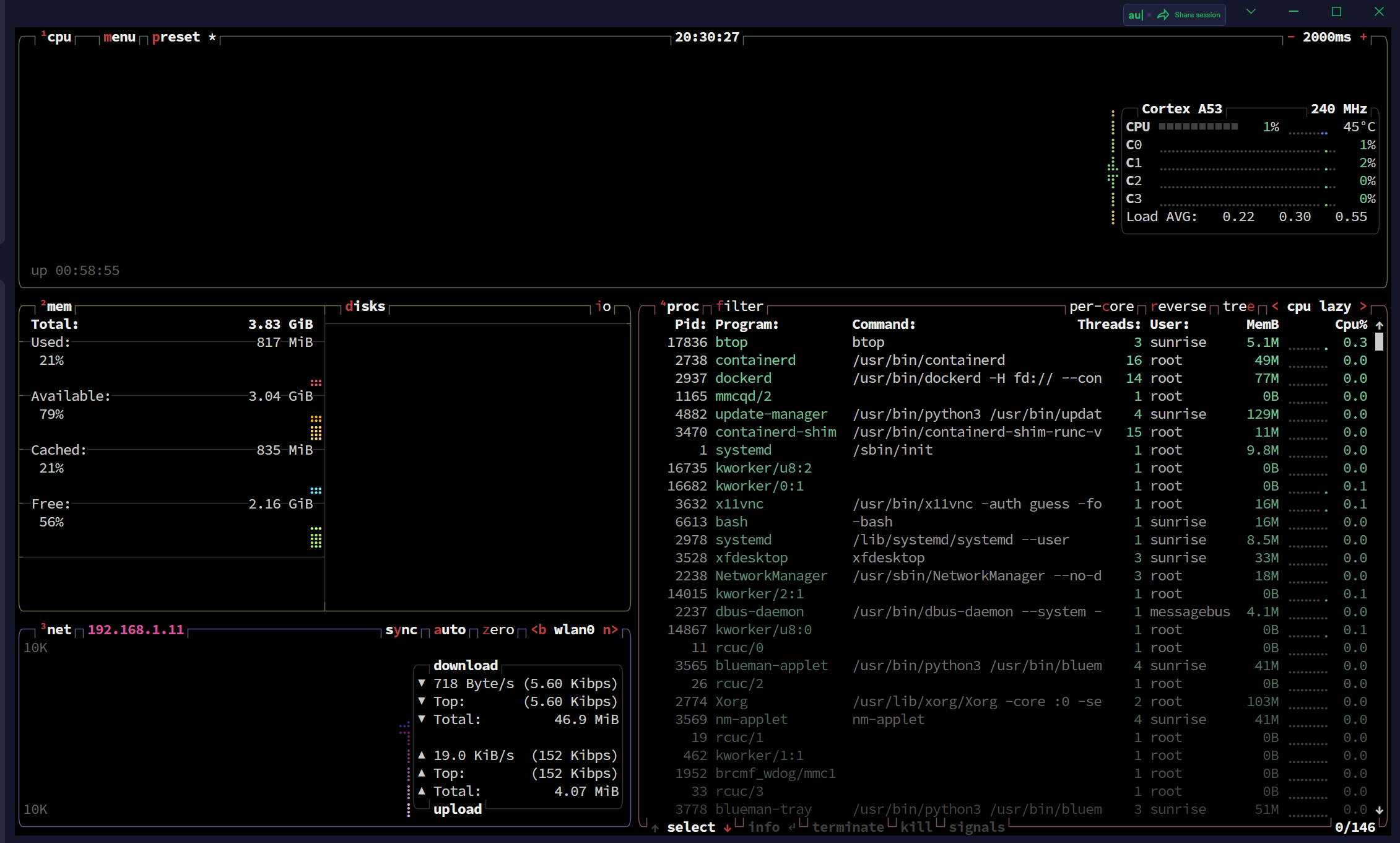
You can see that our system and process information has been correctly identified
# Outlook
It is hoped that the official or community leaders can integrate the bpu prof of 'x3' and become the first party independent software of 'x3'